The ticket is the prompt. Tickets in, pull requests out.
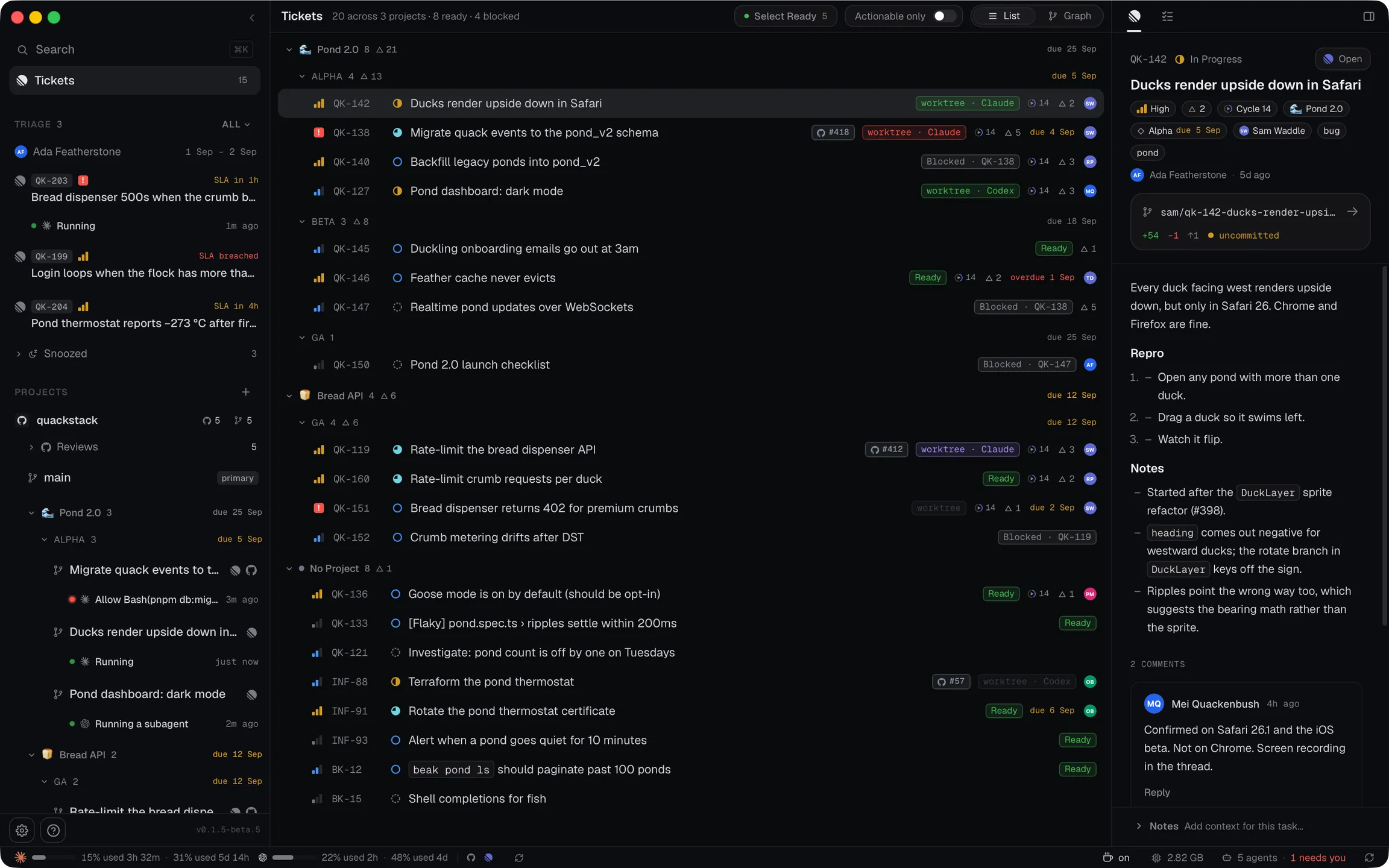
Press Run on a ticket and santree writes the first prompt from it (the description, the comments and your notes), then starts an agent in a worktree of its own.
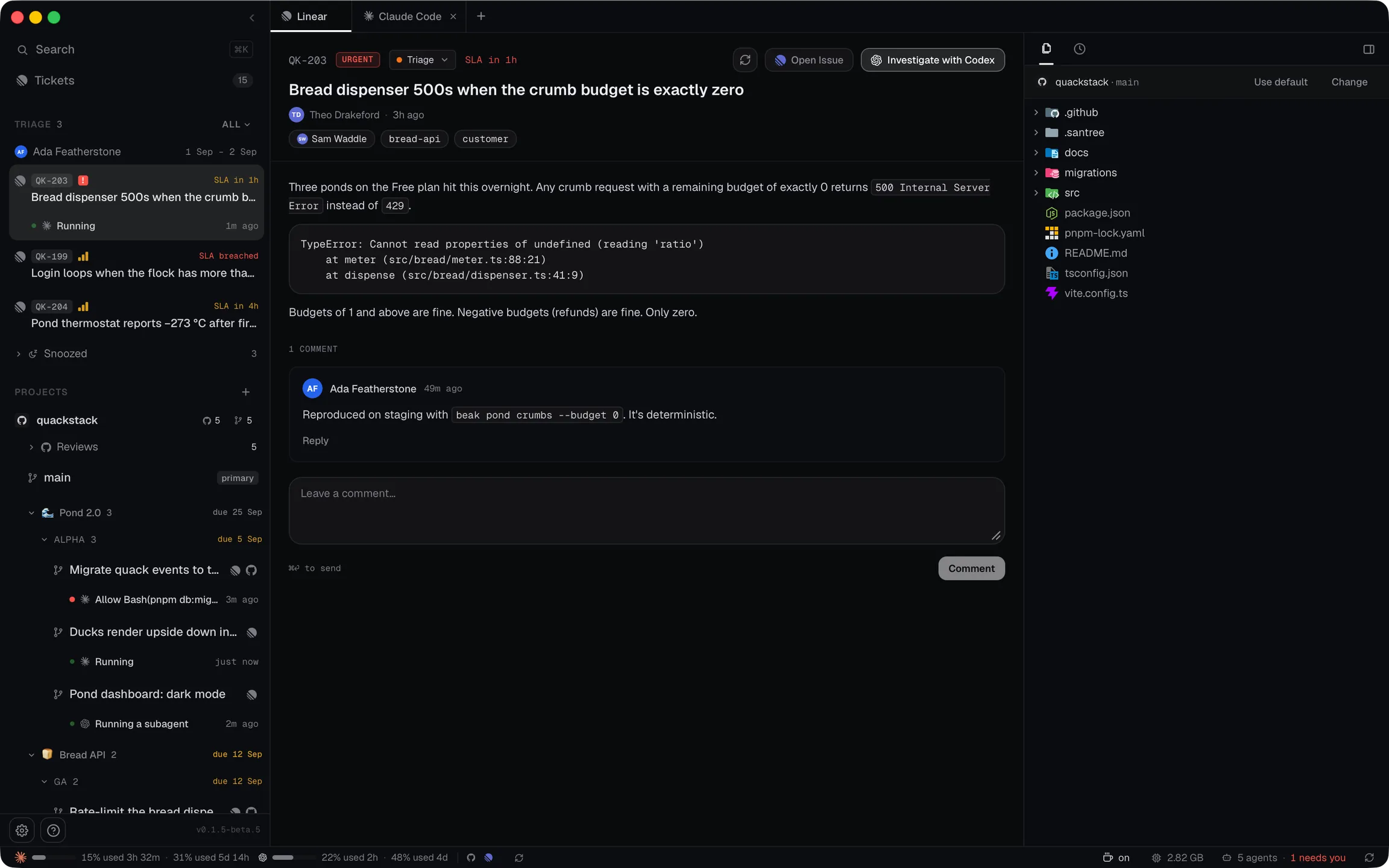
Triage
Triage starts from the ticket.
Investigate hands a triage ticket, screenshots included, to an agent on main. It works through the code and stops at a proposed comment. The SLA clock and the rotation sit in the sidebar.
Run
Run, and the ticket becomes the prompt.
santree writes the ticket, its whole comment thread and your notes into the agent's opening prompt, creates the worktree and starts it. Select Ready launches every ready ticket the same way.
the opening promptwritten from the ticket
<ticket-content>
**Migrate quack events to the pond_v2 schema**
Status: Todo | Priority: Urgent | Labels: migration
### Description
Move the `quack_events` table onto the
`pond_v2` schema and backfill the last 90 days.
…
### Comments
**Ada Featherstone**
Should the backfill run in batches? 40k
ponds in one transaction worries me.
</ticket-content>
Review the codebase to understand the
relevant areas and existing patterns.
Create an implementation plan, then
implement the changes.
Steer
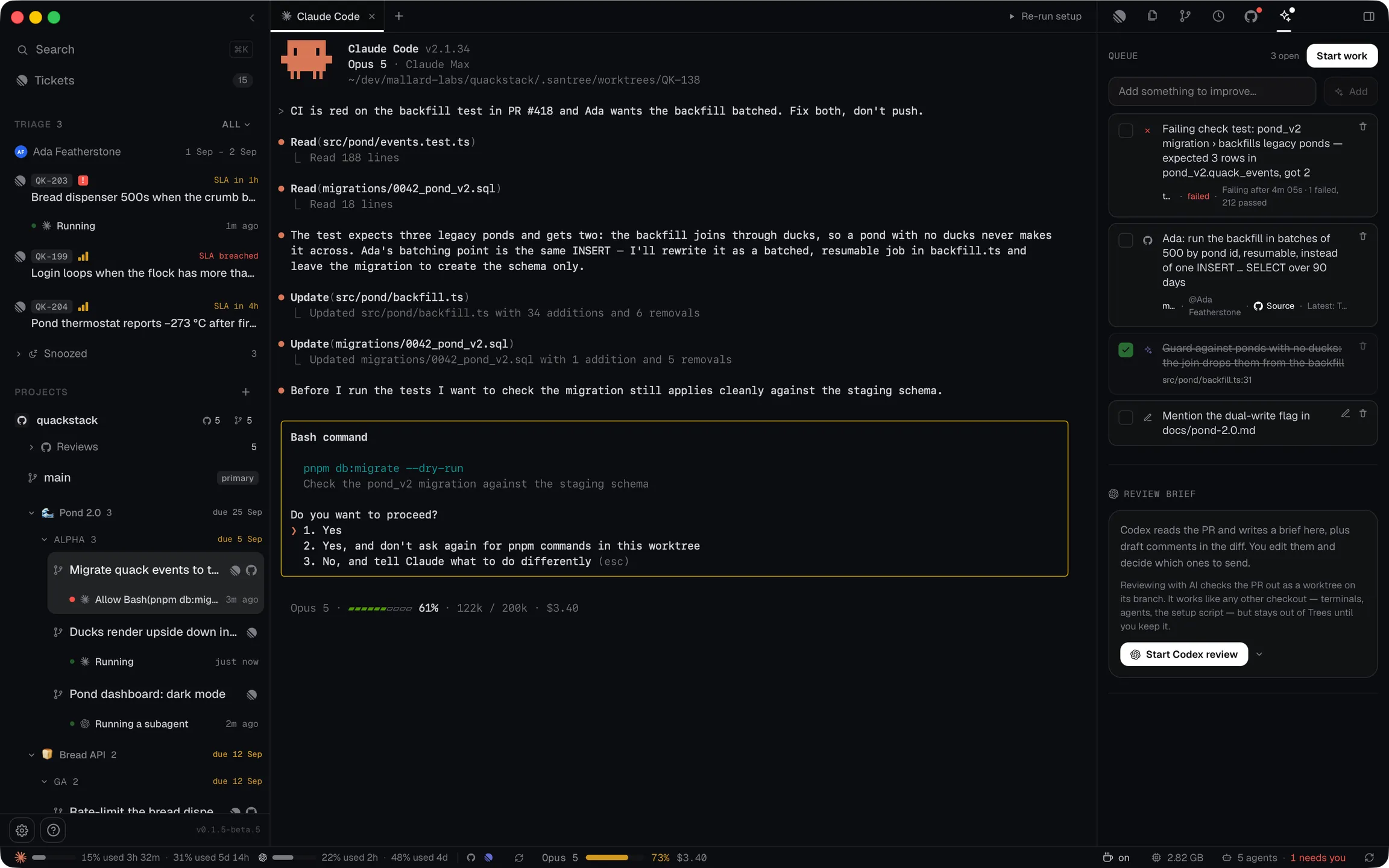
You type only when it asks.
Each agent runs in a real terminal you can type into. Because santree starts it, santree can add what an agent would never be asked for: a checklist that tracks the work as it happens, questions that arrive as popups instead of getting lost in a terminal, and plans set out to be read. The dot beside each tree says which one needs you.
added by santree
Progress
- Read the migration and its callers
- Rewrite the backfill in batches
- Run the dry run against staging
Question
Run the backfill in batches of 500?
Batch itKeep as isPlan
- Batch by pond id
- Make it resumable
- Dry run, then apply
Review
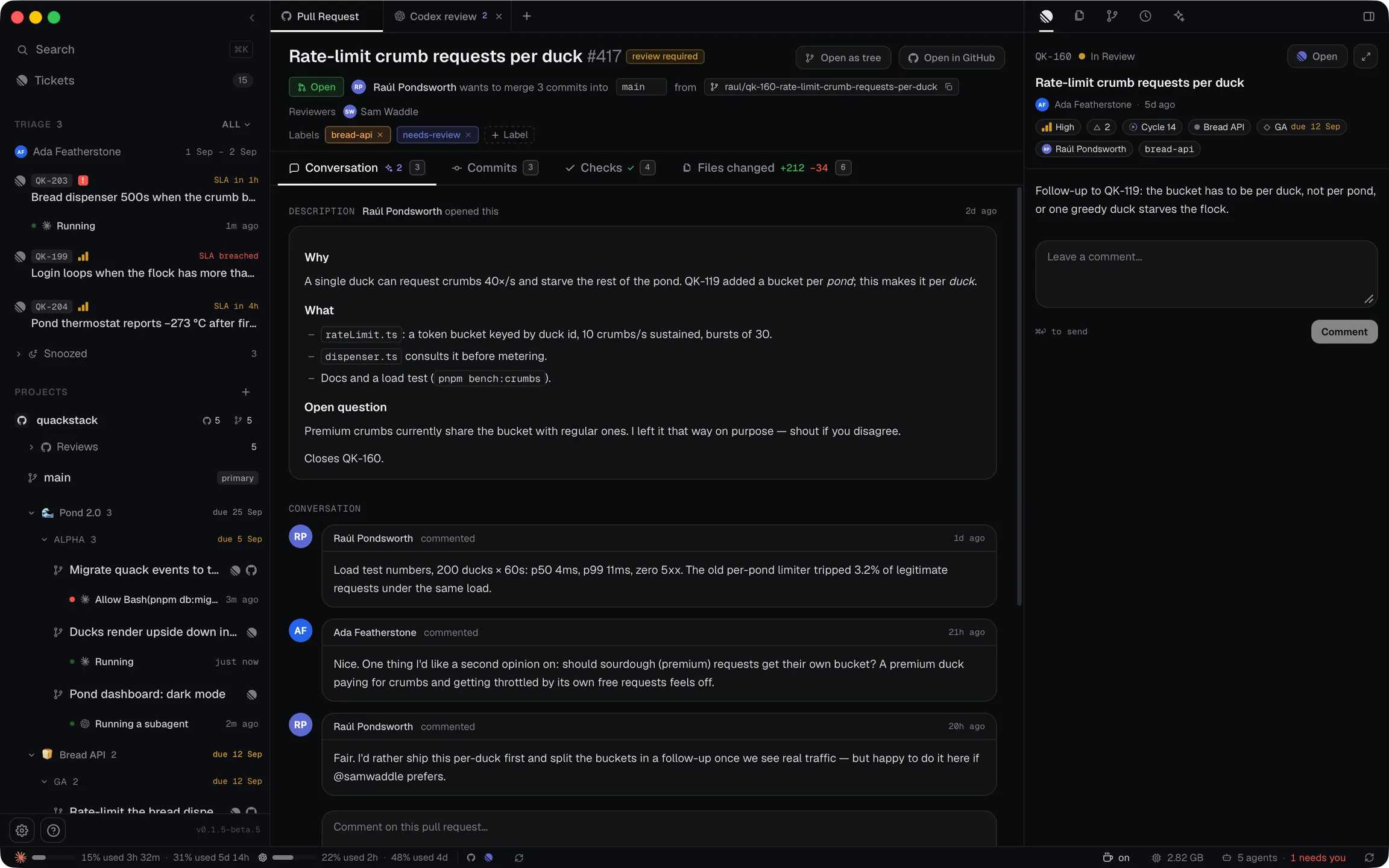
Review comes back as the next prompt.
Add a failing check, a reviewer's comment or an AI draft to the PR's queue. Start work writes them into one prompt, each thread as it reads now, and the agent ticks each item off.
Merge
Merge it and delete the tree.
Your own checkout never moved. Teammates' PRs get an AI review too, and its draft comments stay on your machine until you publish them.
Privacy
Your repo never leaves your machine.
- Prompts
- Every workflow's prompt is a template you can read and edit in Settings, per repo or for yourself. Commit one to .santree/prompts and the whole team gets it on the next pull.
- Your code
- Worktrees, terminals and diffs live on your disk. There is no santree account and no santree server.
- Agent logins
- santree never stores or proxies an agent's login. The one exception is a single read for the usage meter, sent only to that vendor's own API.
- Tokens
- Tracker tokens sit in the OS keychain. Code host access is borrowed from the command line tool you are already signed into.
- Publishing
- An AI review's draft comments stay on your machine until you publish them. Nothing an agent writes reaches your code host without your click.
Questions
Before you download.
Do I still write prompts?
Not to start the work. Run, Investigate and Start work each write the agent's opening prompt from the ticket or the review. You can type into any agent's terminal while it runs, and change any template in Settings.
What does it cost?
Nothing. santree is free and MIT licensed, with no account to create. Your agents run on your own agent account, the same as they do in a terminal.
Which platforms does it run on?
macOS, kept up to date on the stable or beta channel. On Linux it builds from source; there are no packaged Linux builds yet. Windows isn't supported.
Which trackers and agents work with it?
santree runs the real agent CLIs, unmodified, in a real terminal, and reads tickets from your tracker and pull requests from your code host. Settings picks an agent and model per workflow. The docs keep the current list of supported trackers, code hosts and agents.
Do I need a ticket tracker?
No. Without one, Trees still works on any git repo, and Reviews needs only the command line tool for your code host.
All branches merge eventually.
Point santree at a repo and run your first ticket.